Novari ATC has enhanced its inter-module messaging capabilities with Novari Secure Messaging.
Now, messages that are not explicitly related to a patient’s case can be sent from a person to a person or from a person to a group. This means that a message can be sent from a user of one module, for instance Care Venue, to users of another module, for instance Provider’s Office, extraneous to a patient’s case.
For example, the hospital OR booking department uses Novari ATC Care Venue and needs to send a message to provider offices informing them of last-minute OR availability. This message does not pertain to a patient; instead, it is a general message to a user or group of users who are using Novari ATC Provider’s Office.
ALTHOUGH MESSAGES ARE SECURE WITHIN NOVARI ATC, PATIENT HEALTH INFORMATION MUST NEVER BE INCLUDED IN THESE MESSAGES BECAUSE NOT ALL RECIPIENTS MAY HAVE ACCESS TO THE PATIENT’S CASE.
While Secure Messages may look like email clients - with an Inbox, Sent, Deleted Items – these are not emails but are message threads. In many ways Secure Messages behave like emails messages: when you send a message it appears in Sent; when you receive a message it appears in Inbox. However, Secure Messages don’t always behave like email messages. When you send a message to yourself, you see it in Sent, but not in your Inbox because you are already part of the message thread.
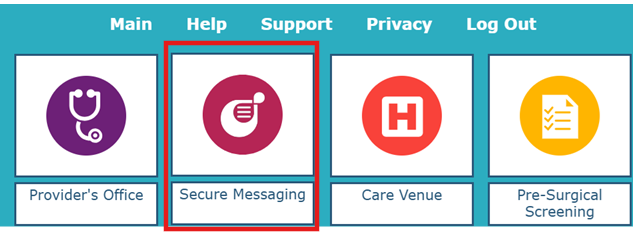
When one of the Provider’s Groups you belong to has been given full access permission to Secure Messaging, you will see Secure Messaging module on your Novari ATC splash page.
To open Novari Secure Messaging
Select the Secure Messaging module on the Novari ATC splash page.
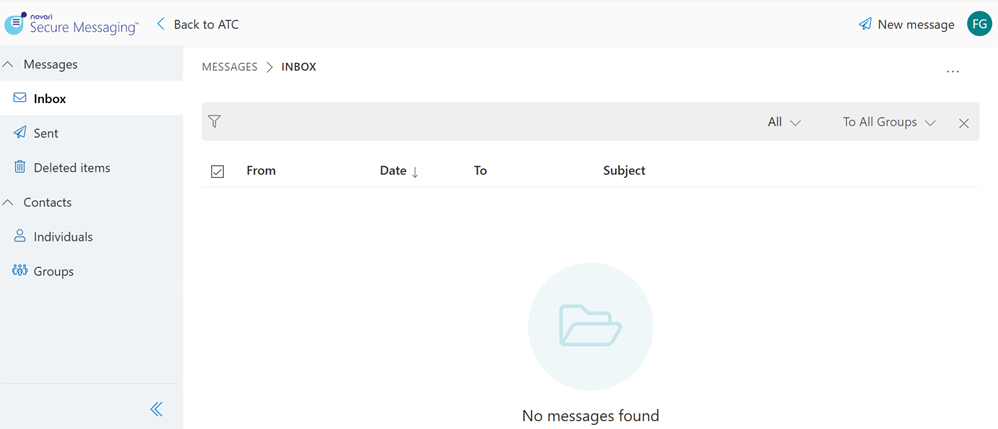
Novari Secure Messaging
Returning to Novari ATC
Select Back to ATC to return to the location in Novari ATC from where you navigated to Secure Messaging. This could be the Novari ATC splash page or the module you were working in.

Signing Out
To sign out of Novari Secure Messaging, select Sign out from your user menu.
This also signs you out from Novari ATC.
Navigation Pane
The navigation pane displays your messages and your contacts.
The navigation pane can be collapsed or expanded by selecting the chevron. Your preference is retained for the next time you sign in.
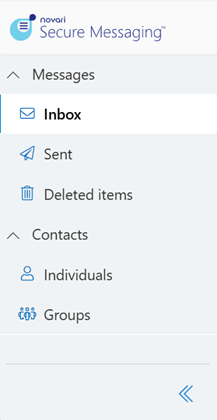
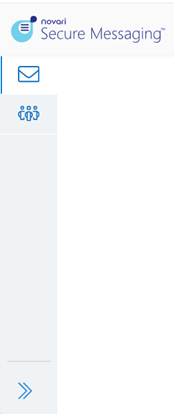
| When the navigation pane is collapsed, hover your mouse pointer over the icon to see the item’s name. |

Inbox
Messages are listed in reverse chronological order, with the newest message at the top of the list. By default, all messages are displayed.
You can see only unread messages by selecting Unread from the filter.
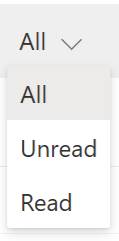
You can also filter to display only Read messages.
Sent
To see all the messages you have sent or responded to, select Sent in the navigation pane.
Sent messages are displayed in reverse chronological order (newest at the top of the list).
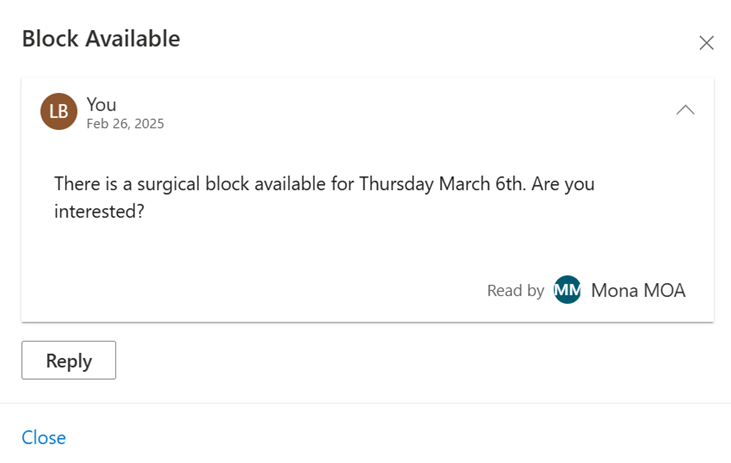
You can see if a message you sent has been read by the contact or contacts. If more than one person in the thread has read it, then it will show the count of people who have read it.
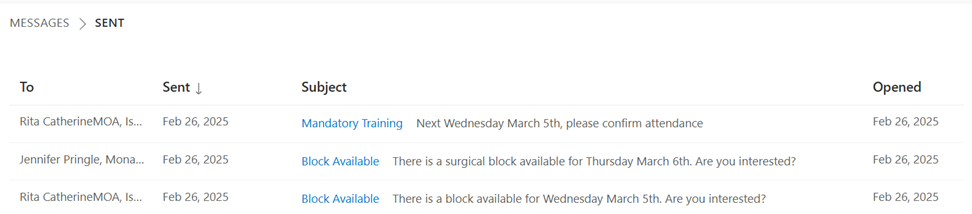
When you open that message, you can see who has read it.
Deleted items
To see messages you have deleted, select Deleted items in the navigation pane.
Deleted messages are displayed in reverse chronological order by message date (newest at the top of the list).
You can restore a message by selecting the message and selecting Restore from the More options menu. It is restored to where it was deleted from, either Inbox or Sent.

Was this article helpful?
That’s Great!
Thank you for your feedback
Sorry! We couldn't be helpful
Thank you for your feedback
Feedback sent
We appreciate your effort and will try to fix the article