You are notified of new secure messages in two ways:
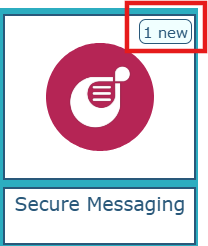
On the Novari ATC splash page, you will see the number of new secure messages displayed on the Secure Messaging module tile.
In a module, for example, Provider’s Office or Care Venue, the envelope icon at the top right will flash to let you know when there are new secure messages.
Hover your mouse pointer over the envelope to see how many new case messages and new secure messages there are.
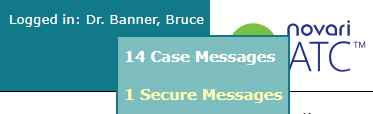
Select x Secure Messages to navigate to your Secure Messages Inbox.
Was this article helpful?
That’s Great!
Thank you for your feedback
Sorry! We couldn't be helpful
Thank you for your feedback
Feedback sent
We appreciate your effort and will try to fix the article