Enabling Secure Messaging in Provider Groups
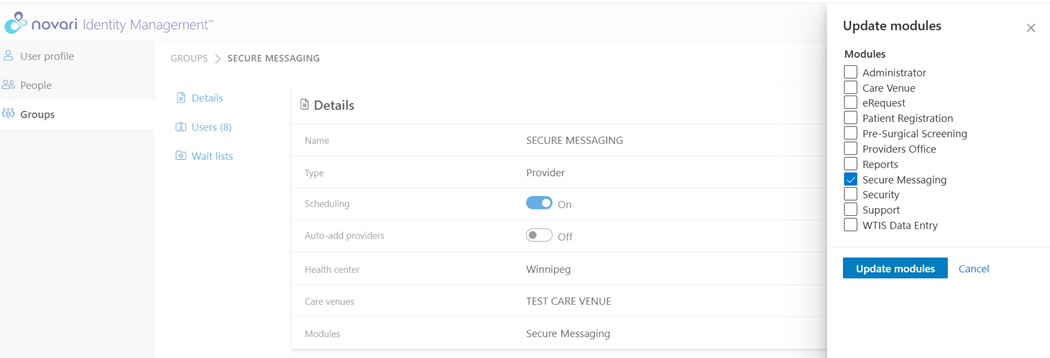
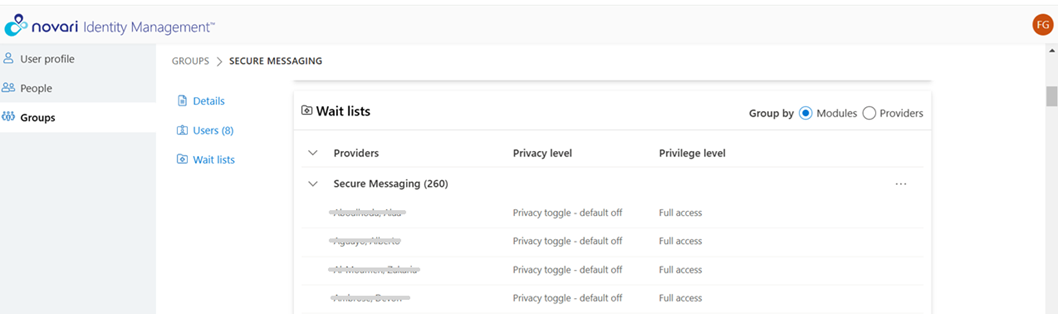
The Novari ATC site administrator enables Secure Messaging for a health center using groups in the Security module or in Identity Management module, depending on how your organization is set up.
All senders and recipients of secure messages must have full access to the Secure Messaging application in their group(s).
There are two suggested ways of enabling Secure Messaging within a health center:
1. You can create a Secure Messaging provider group with only the Secure Messaging application selected and add all the provider groups who need access to it.
2. You can add the Secure Messaging application to each provider group that needs it.
What you do depends on your site’s needs. Also consider future group maintenance. If, for example, you have 200 provider groups, you may want to minimize maintenance by creating a secure messaging group and adding users to it. If you have few groups, you could add the Secure Messaging application to each.
For information about creating and managing groups, please refer to the Security Module or Identity Management.
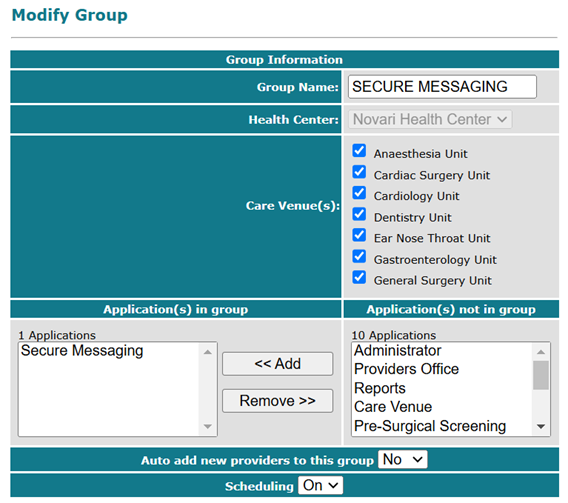
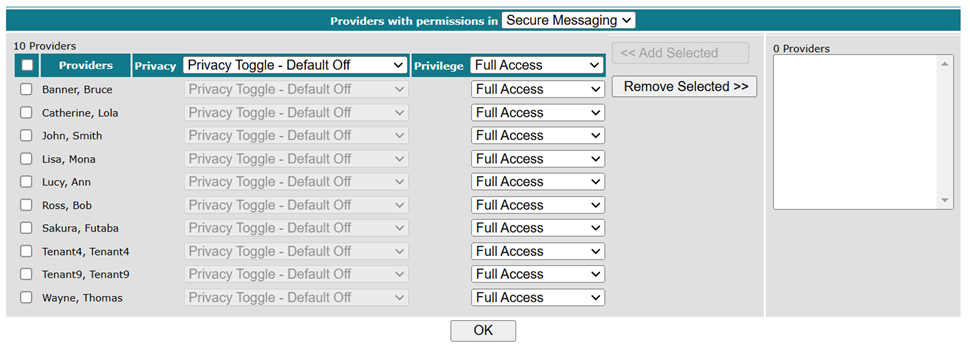
Secure Messaging provider group example from Security Module
Was this article helpful?
That’s Great!
Thank you for your feedback
Sorry! We couldn't be helpful
Thank you for your feedback
Feedback sent
We appreciate your effort and will try to fix the article