By default, Novari ATC users cannot manage the address book; they must be explicitly granted that permission by their administrator.
A user who has permission to manage the address book can create and manage individual and group contacts.
For organizations that are only using Novari Identity Management to manage their Novari ATC users and groups:
Navigate to Novari Identity Management by selecting Identity Management module on your splash page
Find the person to whom you want to give permission to manage the address book
In the Secure Messaging area of the user’s profile, select the toggle to enable the permission to manage address book
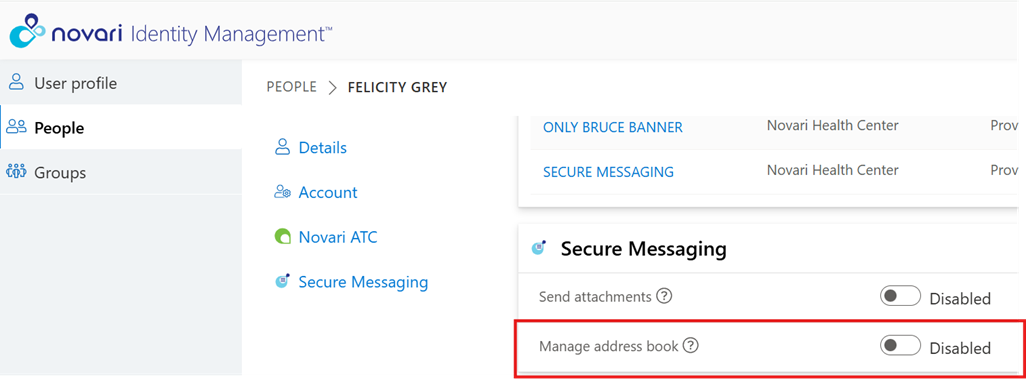
| For organizations using Novari ATC Security module to manage their users and group and Novari Identity Management for users to manage their accounts (hybrid model): YOU MUST CONTACT NOVARI HEALTH SUPPORT TO ENABLE THE SECURE MESSAGING MANAGE ADDRESS BOOK PERMISSION FOR YOUR USERS. |

Was this article helpful?
That’s Great!
Thank you for your feedback
Sorry! We couldn't be helpful
Thank you for your feedback
Feedback sent
We appreciate your effort and will try to fix the article