Steps for processing an Ocean Referral in Novari
Click process from the inbox.
The name of the referring provider appears in the inbox. Proceed with the processing steps as you would for faxes. If the referring provider exists in Novari, their name will automatically fill in the requester field.

Attaching a patient
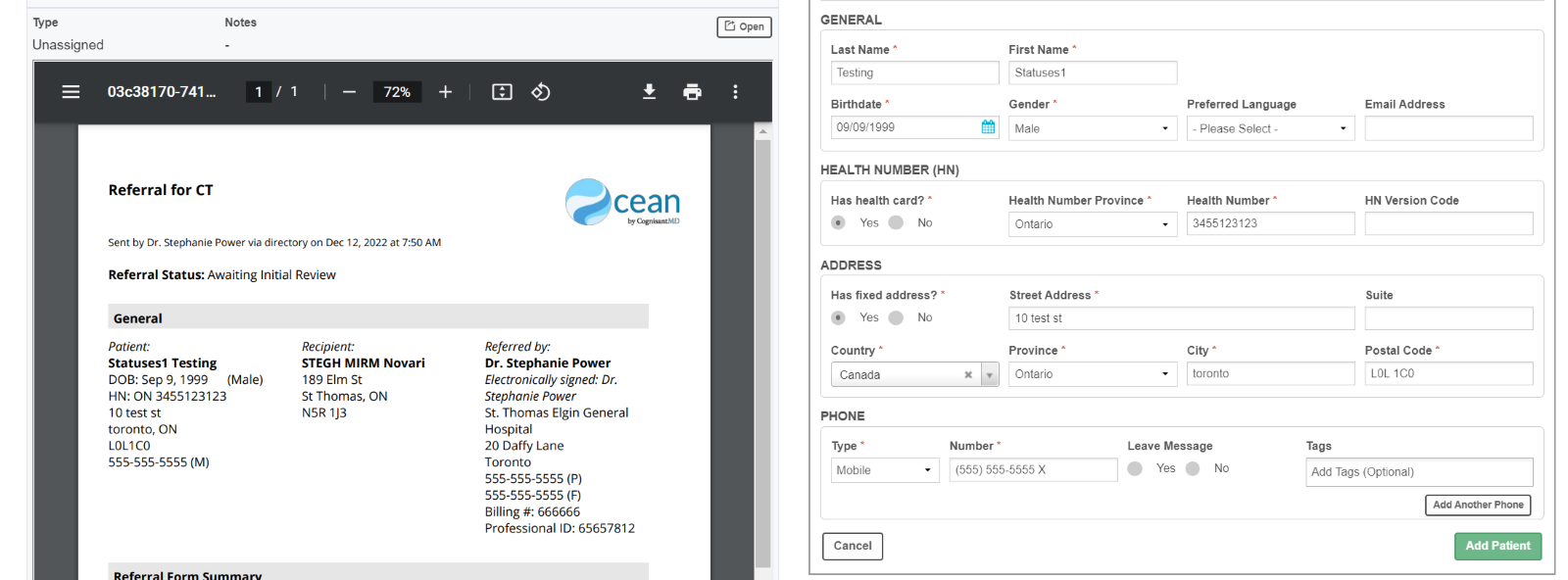
If the patient is new, the demographics from Ocean will populate in the demographics section in Novari. You will be prompted to add patient.
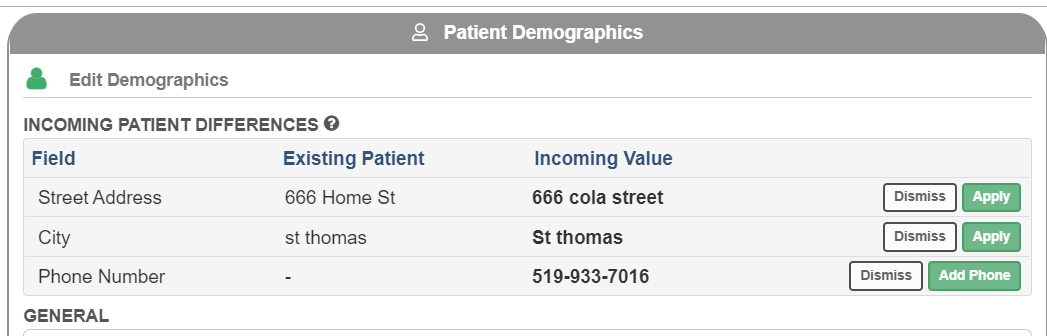
If the patient exists, you will be asked to reconcile patient demographics that are different before you can confirm patient.
Referral Information
You do not need to enable Auto fax back, as certain actions in Novari will automatically go back to Ocean.
Review the fields auto populated to ensure the information is correct. Complete additional fields that are not mapped according to your workflow.
Click on the action applicable to your workflow for example send to scheduling or save and submit.
Was this article helpful?
That’s Great!
Thank you for your feedback
Sorry! We couldn't be helpful
Thank you for your feedback
Feedback sent
We appreciate your effort and will try to fix the article