Novari eRequest/Novari MIRM support coordinators can change a user’s username. This functionality is temporarily granted to selected eRequest users through the IdentityAccountUsernameChanger role.
To obtain this role, submit a request through Novari Health Support.
To change a user’s username:
Sign into Novari Identity Management,
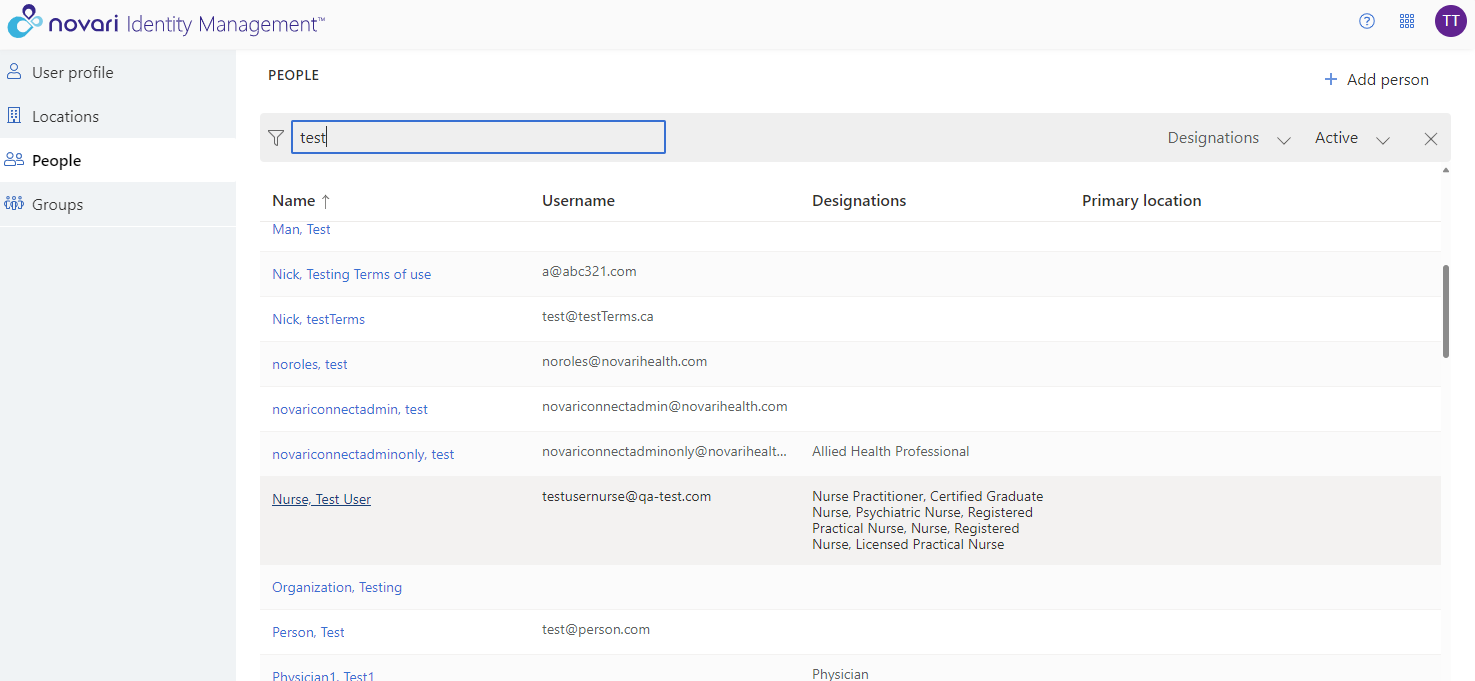
Navigate to People and search for the Person
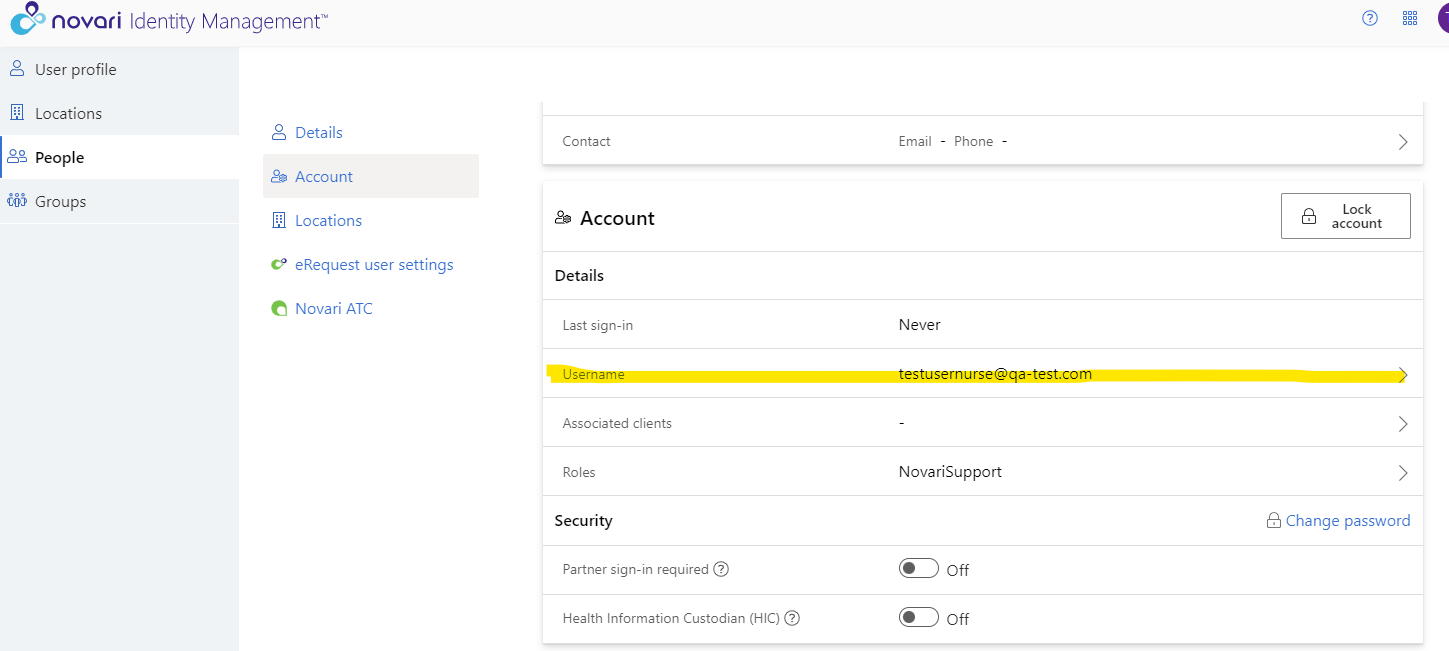
Navigate to the Account and select Username
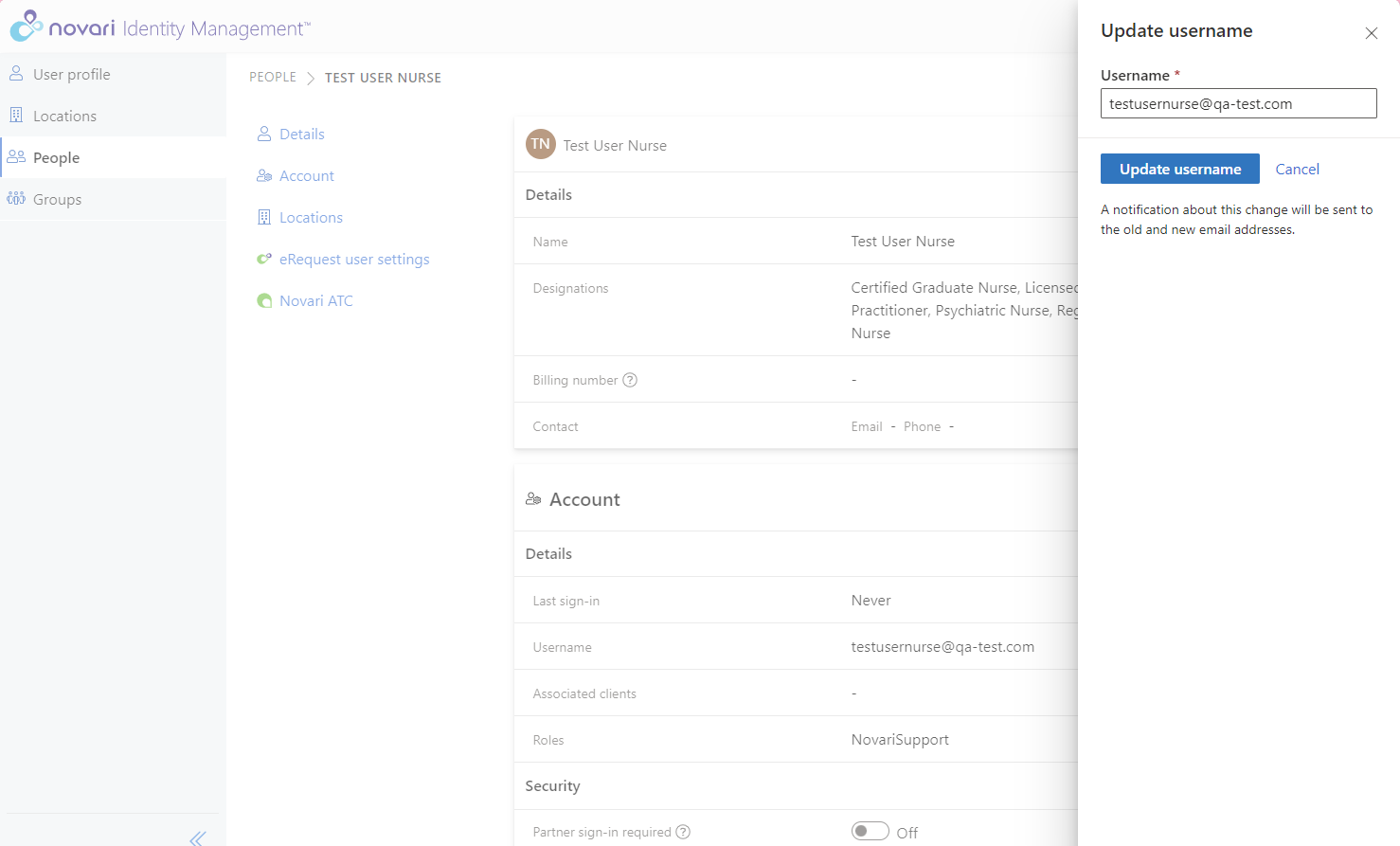
In Update username, enter the user’s new username
Select Update username to complete the username change
A notification about the change will be sent to the old and new email addresses
Was this article helpful?
That’s Great!
Thank you for your feedback
Sorry! We couldn't be helpful
Thank you for your feedback
Feedback sent
We appreciate your effort and will try to fix the article