Novari MIRM Revised Protocol Area
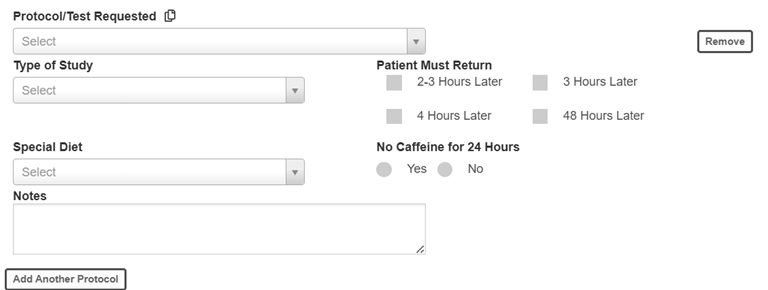
Novari Health has enhanced the radiologist’s and technologist’s protocol area in Novari MIRM. Previously, it looked like this.
Now it looks like this.
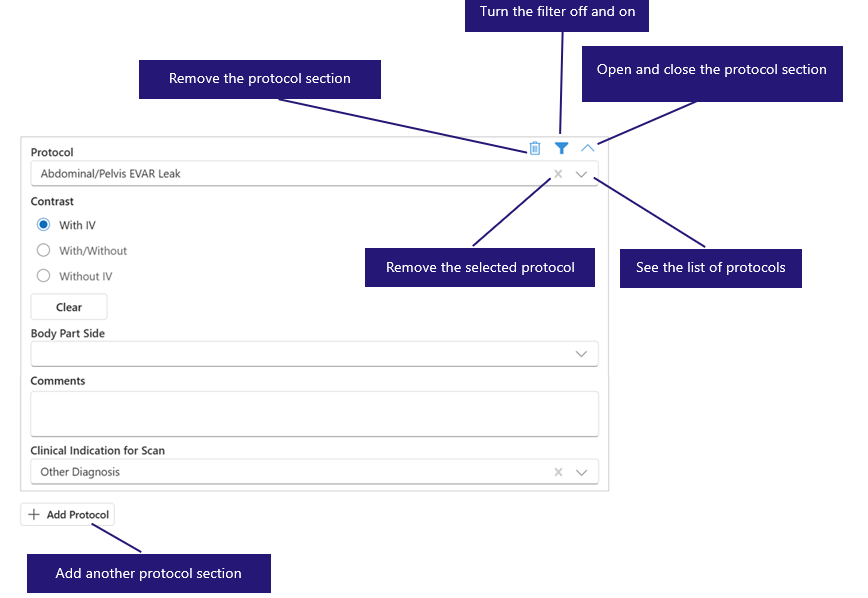
For your radiologists and technologists, applying protocols will be a similar experience but with improved filtering.
Protocol Filter
There are two types of protocol filters:
• Always enforced (when the filter is turned on or off, the same list of protocols show), and
• Toggleable filters (the list of protocols only show if all criteria are met for filtering).
For instance, Client ABC has the destination (location) and service type (modality) filtering enforced, so no matter whether the filter is turned on or off, the options shown are related to those two fields regardless.
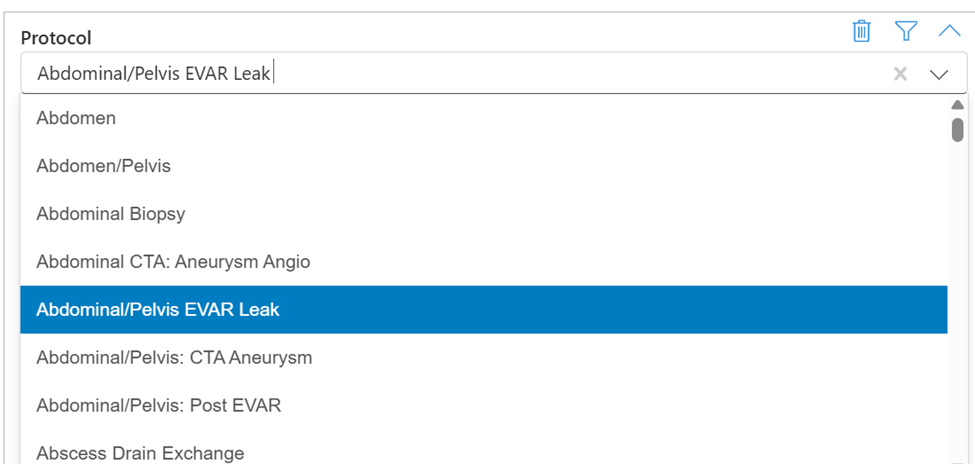
The list of protocols when the filter is turned off; however, the list is still filtered by destination (location) and modality.
Client ABC also has filters for the specialty and exam detail fields but these are not enforced. When the filter is turned off, the list will have all modality/destination fields shown, and when the filter is on, it takes the specialty and exam details into account.

The list of protocols when the filter is turned on. The list of protocols is filtered by destination (location), modality, speciality and exam details.
Was this article helpful?
That’s Great!
Thank you for your feedback
Sorry! We couldn't be helpful
Thank you for your feedback
Feedback sent
We appreciate your effort and will try to fix the article