Can Novari eRequest bring a referral back a step?
Unfortunately, Novari does not recommend modification of data in the production database. This can impact data integrity and traceability.
How long will a cancelled requisition/referral remain in Novari?
The requisition will always remain in Novari by searching for the patient (top right corner).

Can patient history be viewed by modality rather reference number (#)?
The patient history can be viewed on the patient’s referral by clicking the History tab.
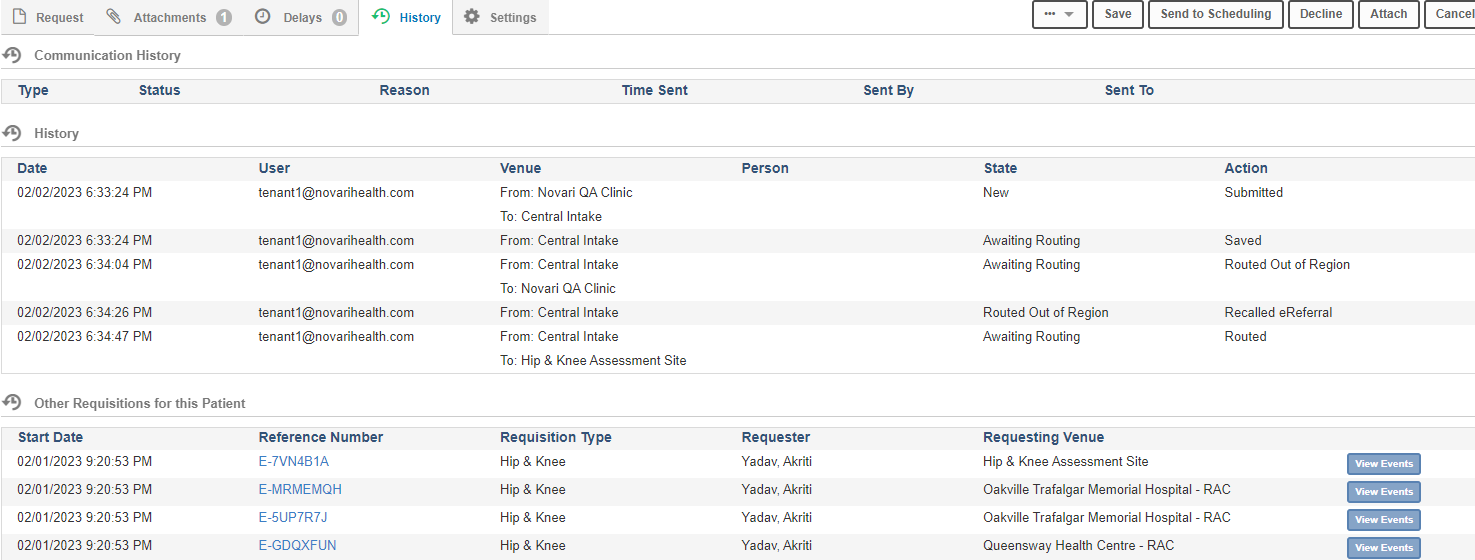
The History is broken into different sections:
Communication History: If any outbound faxes were sent from this referral the interactions will be displayed under this heading.
History: Shows the actions that have been done on the referral. It shows the date, username of the individual who did the action, state shows the state transition that took place and what the action that was completed.
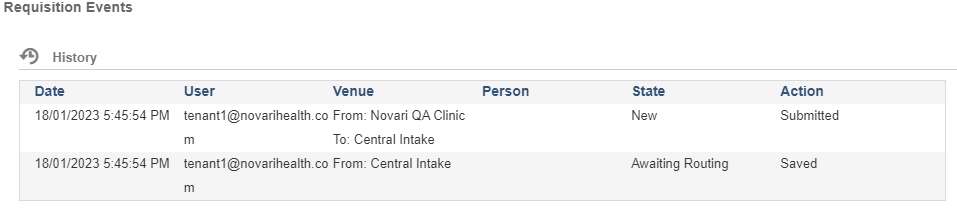
Other Requisitions for this Patient: If the patient has had other referrals within the application those will be displayed here with the option (depending on access) to review those referrals by clicking the reference number. You can also click View Events which will show a snapshot of the History of that referral (requisition events).
Is there a way to clone a requisition once in awaiting scheduling?
Not at this time, cloning is only available through the Inbox.
How do you update a provider’s information in Novari eRequest?
If you have access, navigate to Novari Identity Management. Select People and search for the provider. Update the provider’s information.
Is there any way to see what modality the requisitions are for when searching for a patient?
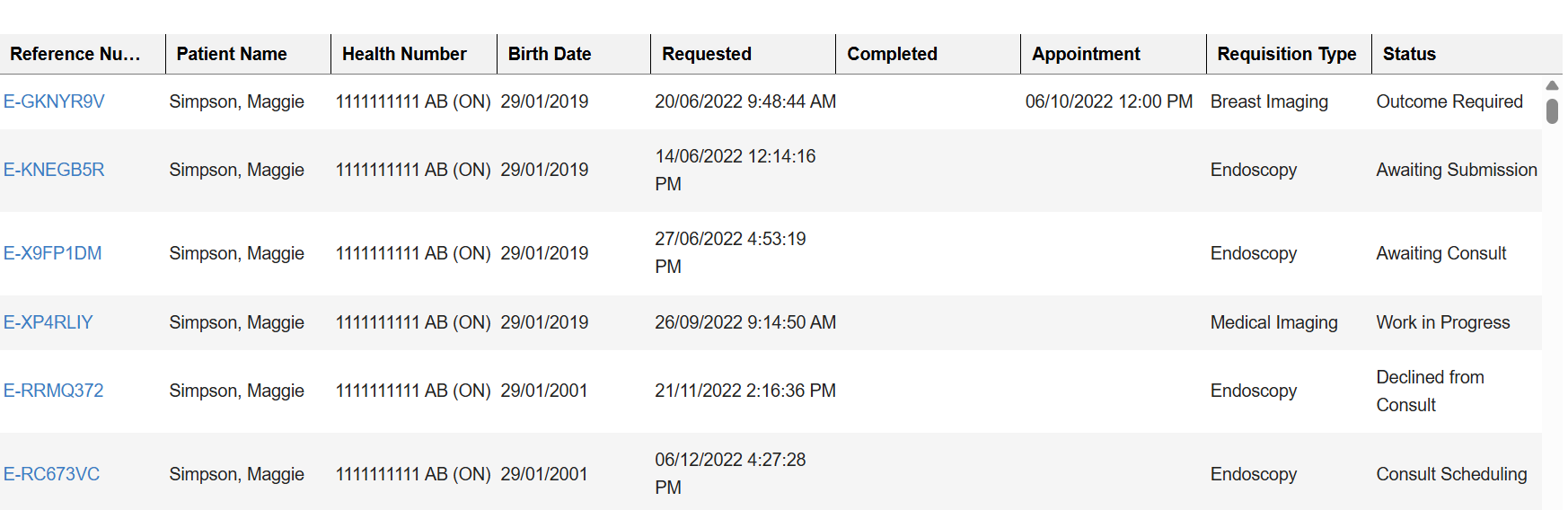
Depending on your assigned role within Novari eRequest you may or may not be able to see the modality of the other requisitions for the patient you searched.
When the search results appear, the Requisition Type column shows the name of the modality of the other requisitions within Novari eRequest for that patient:
What do I do if my dashboard is not loading?
Try clearing your cache. If that doesn't work do a system restart. Please also check your internet speed.
Why aren't my attachments loading?
Use recommended browsers (Chrome, Firefox, Edge, and Safari)
Try clearing your cache. If that doesn't work do a system restart. Please also check your internet speed.
How do I deal with duplicate patient records?
A duplicate patient is found upon searching for a patient on the Create or New eRequest page.
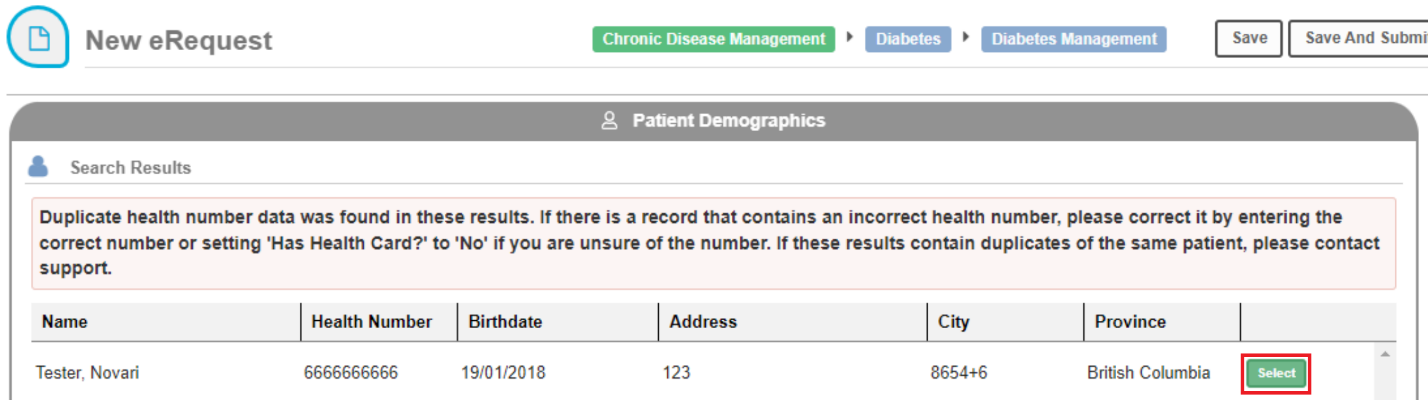
Novari Health recommends finding and selecting the inaccurate or less relevant duplicate patient record. This will redirect the user to the Edit Demographics page. From this page, we recommend you update the Has health card? to ‘No’.
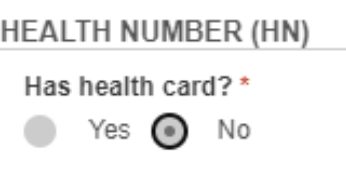
This will unlink the duplication; however, all the data on the existing requisitions it is tied to will remain visible.
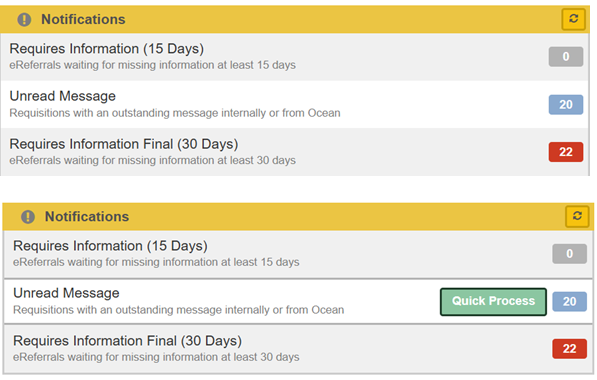
How do I access the Quick Process and Rad View buttons?
Both the "Quick Process" and "Rad View" (Novari MIRM) buttons are hidden until you hover your mouse pointer over the bucket.
How long will requisitions remain in the inbox?
Requisitions that have been Rejected, Cleared and Dismissed will remain accessible in the application for six (6) months.
Can I reopen a Closed referral?
No, referrals cannot be re-opened after they are put in the state of Closed. We recommend creating a new referral.
Was this article helpful?
That’s Great!
Thank you for your feedback
Sorry! We couldn't be helpful
Thank you for your feedback
Feedback sent
We appreciate your effort and will try to fix the article