Delay Functionality
This is used when the patient is unavailable for an appointment due to patient-related concerns/reason or can be used to set a delay due to service limitations such as resource limitations that are preventing the service provider (receiver) from scheduling the patient. When a referral is placed on a Delay, you will not be able to schedule any appointments during the indicated delay timeframe. You can however still schedule as long as it’s outside the set delay date.
Please Note: When the reports are pulled, these delays can be subtracted from the total wait. They are not used in any calculations for wait time within the application.
Where is this displayed?
Depending on your organization’s customizations, when a delay of any duration, including indefinite, is applied to a referral, the delay icon is displayed:
on the row in a list that contains the delayed referral.
in the patient demographic area when the referral is opened
on the Delay tab on the eReferrals

Indefinite Delays ONLY - If there is a specific dashboard bucket that has been created to capture referrals with indefinite delays.
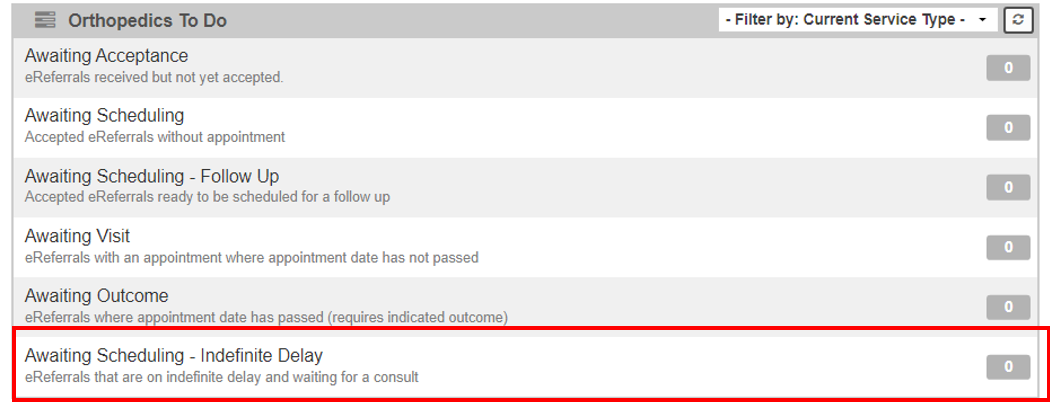
To put a referral on Delay:
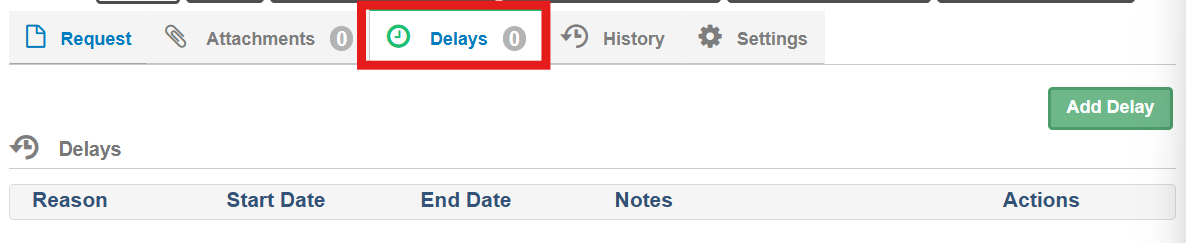
Click the Delay Tab
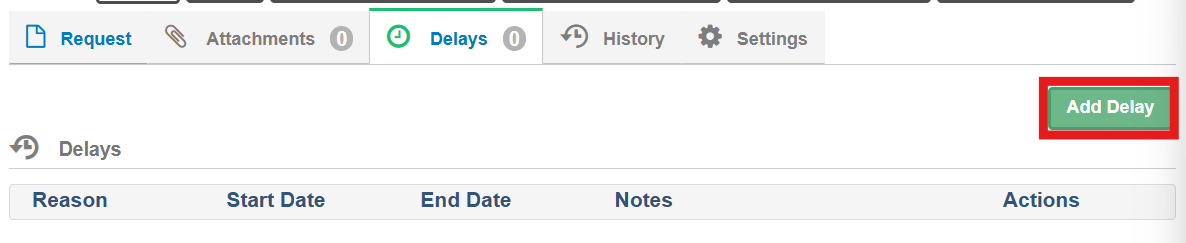
Click Add Delay
Select from the pop-up window:
Reason for Delay
Unavailable Dates – Start Date & End Date
Provide any notes in the Notes section
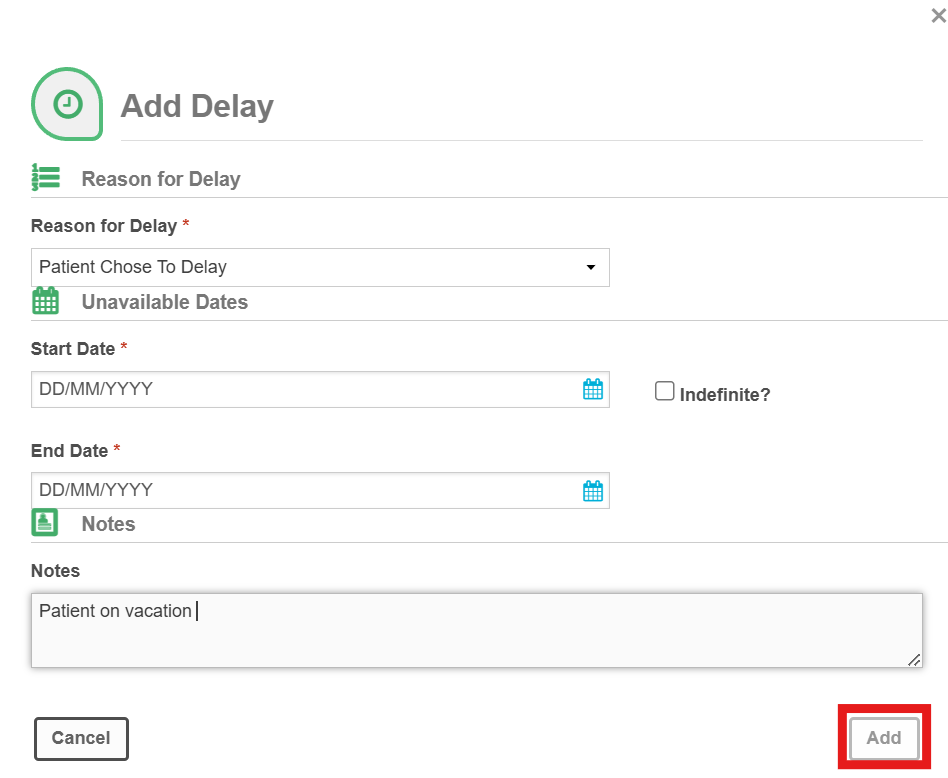
Click Add to save the delay
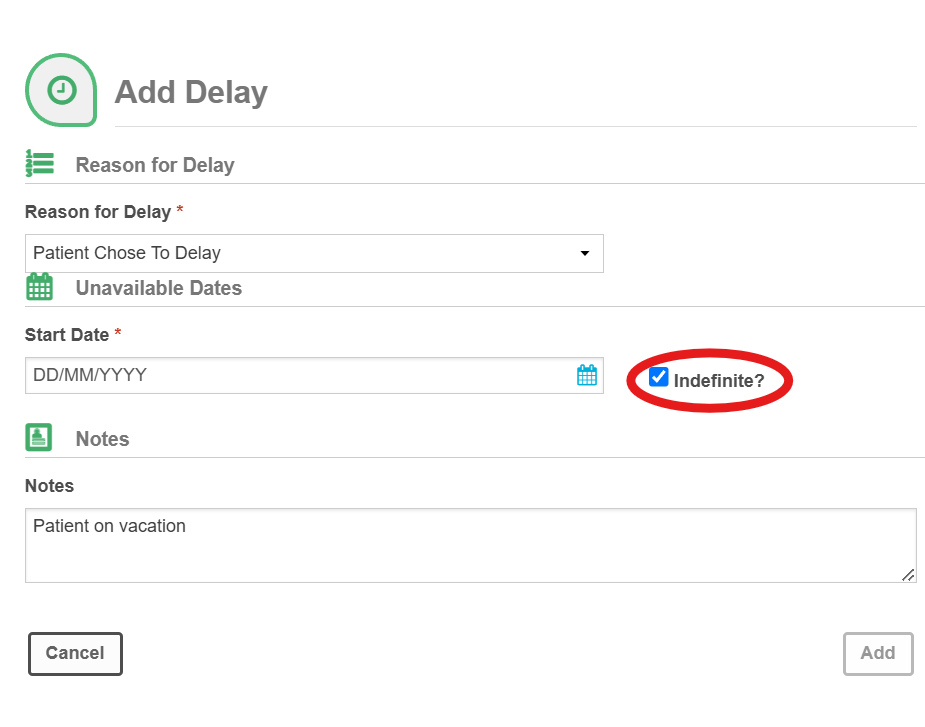
If the delay requires a longer timeframe, you have the option to update the delay to extend the period. In addition, you can set the delay to indefinite, which is appropriate for instances when a patient may not know when they will be able to schedule an appointment (i.e. patient is admitted to hospital). To set a referral to Delay indefinite follow the below steps, but instead of providing an end date click the check box beside Indefinite
You can always update and change the Delay for any reason. Do not remove a delay unless it was done in error.
Was this article helpful?
That’s Great!
Thank you for your feedback
Sorry! We couldn't be helpful
Thank you for your feedback
Feedback sent
We appreciate your effort and will try to fix the article