Scheduling Cases in Compactor Mode
To schedule a case:
Drag and drop it from Unbooked Patients to Requested Bookings.
To select a patient, click on a patient and hold the mouse button down. The patient rectangle turns yellow indicating you can drag the patient to Requested Bookings.
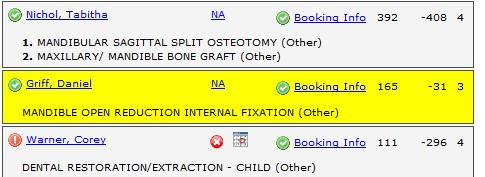
Selecting a case in Compactor Mode
Drag the patient to the Requested Bookings list and position the patient case by moving it up and down in the list. In Compactor Mode, make sure it is dragged above the green line. When the patient is in the correct spot, release the mouse button.
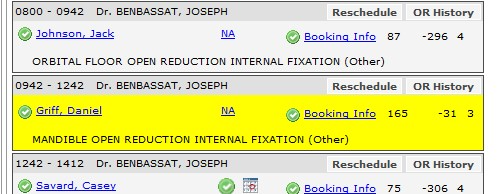
Dropping a case in Requested Bookings in Compactor Mode
Change the case order in Requested Bookings
You can change the order of cases in the Requested Bookings list. For example, you may want a patient with diabetes to be scheduled first. As you reorder cases in Compactor Mode, the start time for the case and any subsequent ones in the Requested Bookings list are adjusted.
If the block has been submitted to the Care Venue module, these changes are sent automatically.
To reorder booked cases in a block:
Drag and drop a booked case within Requested Bookings. The list scrolls as necessary as you drag a patient case up and down.
The case start and end times are automatically adjusted as the case is moved within the Requested Bookings.
Remove a patient from Requested Bookings
To remove a patient from Requested Bookings:
Drag and drop a booked case from Requested Bookings to Unbooked Patients
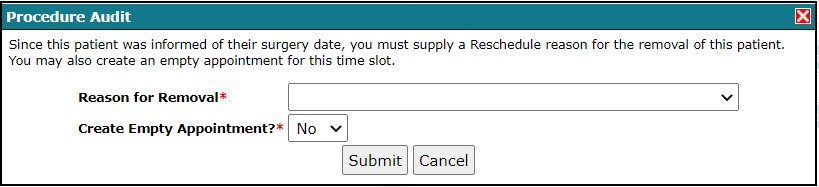
If the block is already submitted, and if it’s near today’s date, you may be prompted to supply a reason for removing the requested booking.
Was this article helpful?
That’s Great!
Thank you for your feedback
Sorry! We couldn't be helpful
Thank you for your feedback
Feedback sent
We appreciate your effort and will try to fix the article