Preoperative Requirements
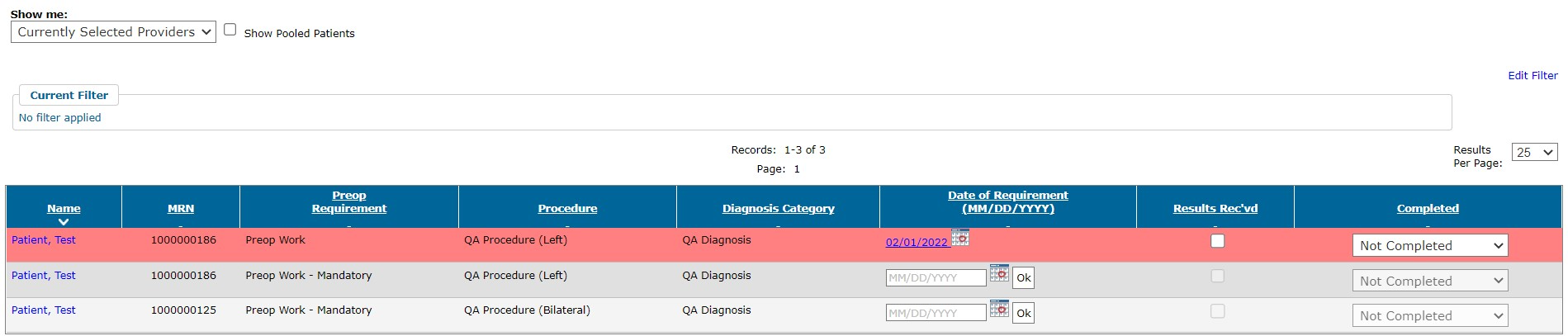
The Preoperative Requirement List displays the outstanding preoperative requirements for your cases, whether they have been submitted to Pre-Surgical Screening or not. You can add or edit dates assigned to a requirement, indicate when results have been received, and change the Completed status.
To display the Preoperative Requirement List:
Select Preoperative Requirements from Preop in the Provider’s Office navigation menu.
Optionally, choose to show pooled patients.
Overdue preoperative requirements are highlighted with red.
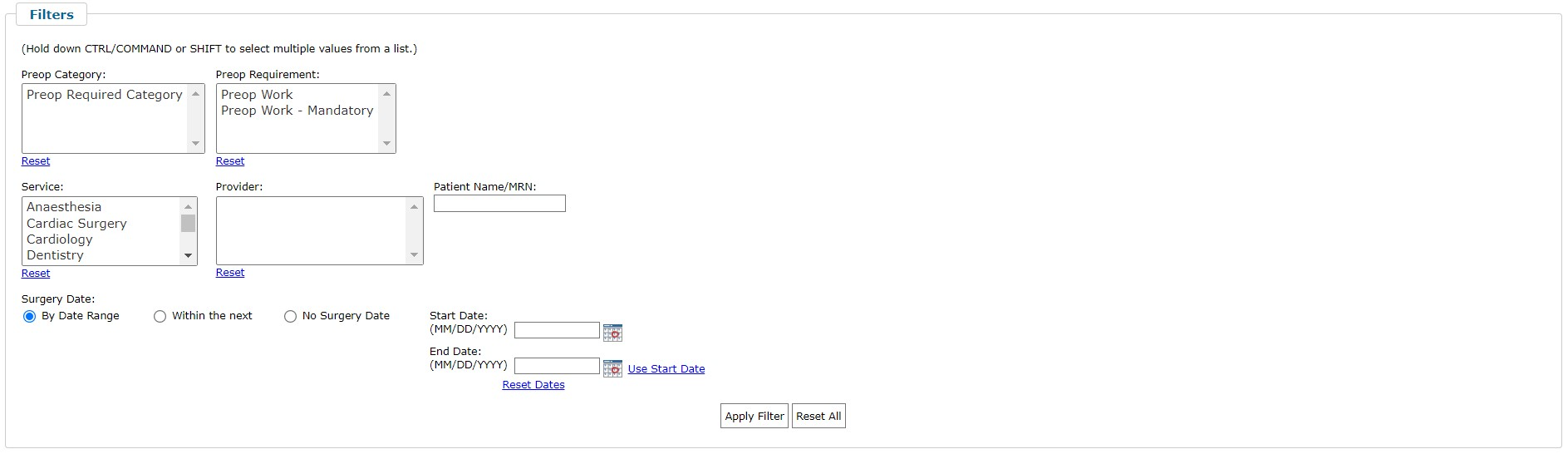
You can optionally filter the list of requirements to focus on specific requirements, services, providers, patient, or surgery dates.
Was this article helpful?
That’s Great!
Thank you for your feedback
Sorry! We couldn't be helpful
Thank you for your feedback
Feedback sent
We appreciate your effort and will try to fix the article