Viewing a Patient’s Wait List History
The Wait List History page shows the patient’s demographic information and all procedures the patient has had cancelled, performed, or is waiting for.
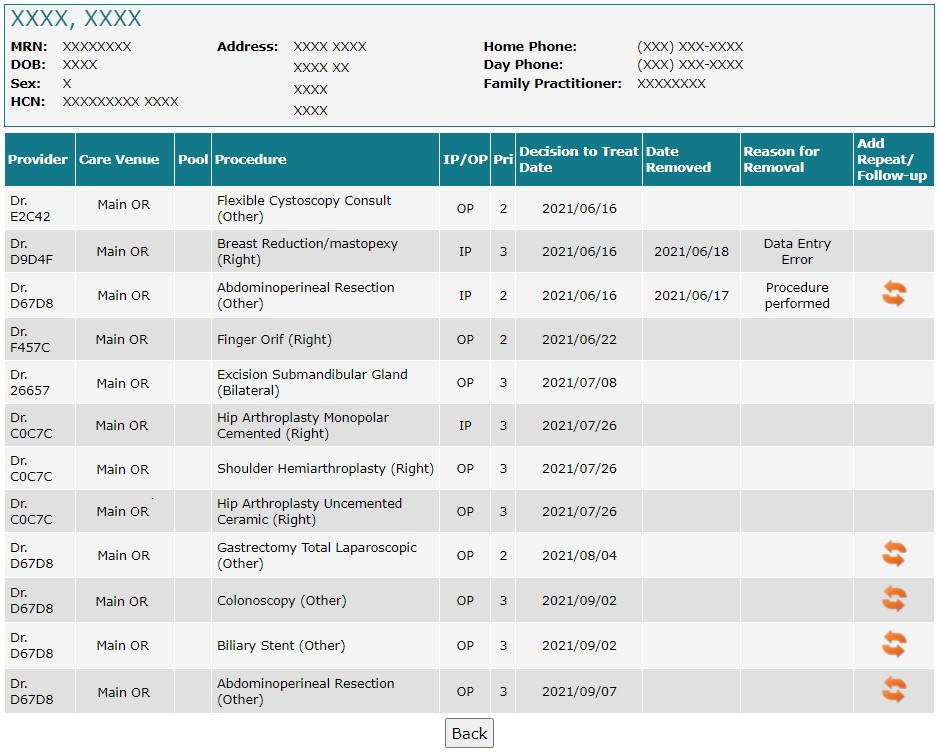
Privacy is toggled on.
To view an existing patient’s wait list history:
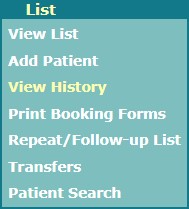
Select View History from the List in the Provider’s Office navigation menu.
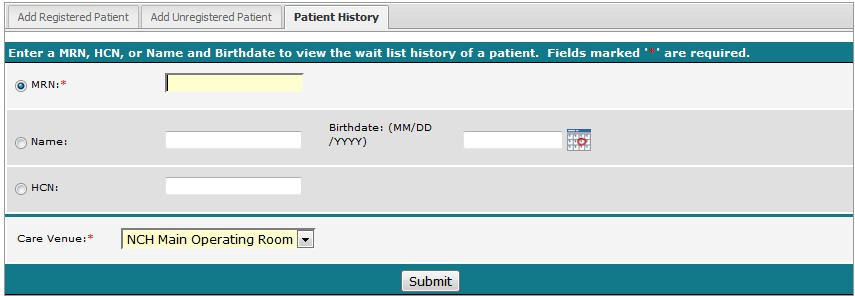
Alternatively, select Add Patient from List in the Provider’s Office navigation menu and select the Patient History tab.
Enter the patient’s MRN, HCN or name and birthdate.
Select the correct Care Venue.
Select Submit.
Confirm the correct patient has been found.
Was this article helpful?
That’s Great!
Thank you for your feedback
Sorry! We couldn't be helpful
Thank you for your feedback
Feedback sent
We appreciate your effort and will try to fix the article